

Editing Youth before animating a frame
I’d like to get from a piece of writing to a short film quickly enough to try a few stories without starting from scratch each time. With Youth, I wanted to see how far I could get with the edit before I had to make anything move. If a joke is going to fall flat, I’d rather find out when it’s still just three pictures on a timeline.
Youth, the full film. 1 min 16 sec.
Cutting by ear
I started with the French text. For the first tests, I ran Qwen3-TTS locally to generate the voices. I could give it the same line with a different bit of direction and hear what happened if the guy started having second thoughts halfway through his sentence. I cut the takes I wanted onto a single track. You hear six voices, all inside one guy’s head.
Then I laid the 37 storyboard frames against that audio edit. Each panel has the line, the action and the frame numbers where the shot starts and ends. That gave me a 74-second animatic I could watch all the way through. I can pull one panel out and see whether the shot before it will carry the next line too.

The French storyboard, under the working title La cabine. The list in shots 17 to 19 was split between three voices. Read the full French storyboard (PDF).
When I switched to English, I went back to the bit about Ironman races, podcasts and intermittent fasting. I liked hearing the same guy work himself up all the way to the end of the list. So I kept it as one 4.8-second take. The word timings put the start of “motivational” 1.63 seconds into the clip. I can cut to the mic right there and leave the breath leading into the word exactly where it was.
The English voice track on its own. Each panel moves when its line comes up. The playhead follows the waveform of the take.
Four poses to hand over a key
I animated the first eight seconds to get a feel for how things should move. For each camera angle, I start with a reference frame and use ImageGen to make a sheet of poses for the gesture. A Python script splits the sheet into individual images, then uses OpenCV to line them up against the fixed parts of the set. When a hand reaches out, it’s nice if the sink stays where I put it.
The timing comes from the exposure sheet. It tells the renderer which image to show and how many frames to hold it for. At 30 frames per second, the four poses in the key shot last 1.37 seconds. The little metallic click lands on the third pose, as her fingers close around the key. If the contact happens too early, I can shift it two frames later and move the sound with it. Same four poses.
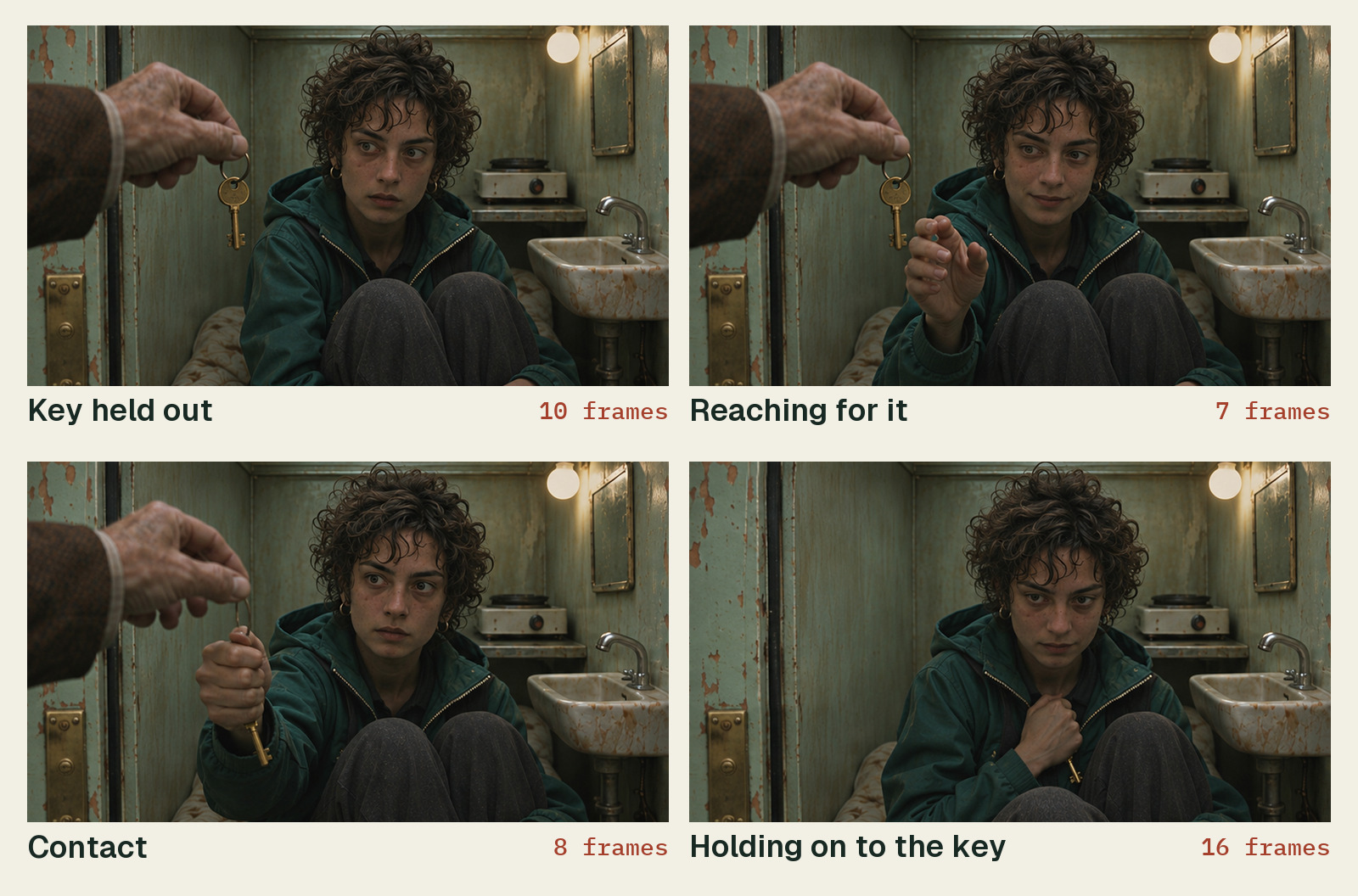
The four poses in the key shot, with their hold lengths in the working master. The set stays put right through the final hold.
At render time, a Python script reads that sheet. It repeats each pose for the number of frames I’ve given it, then uses FFmpeg to encode the film and add the mix of voices, music and sound effects.
So here’s the first test. It’s still a long way from where I want it to be. In places I can feel myself reaching for a new image every few words, and the film gets a bit disjointed. For the next piece, I can bring the character back, cut by ear again and use the same tools to render it. One thing I’d like to try, right there in the animatic, is holding on his face while he changes his mind.